Ignite has brought us a lot of news about products improvement and I was happy to see how much there is incoming to Microsofts Security portfolio. Here is the link to the Ignite Book of News 2025, go read more there!
Defender XDR has been an umbrella term for the whole suite of security functionality in Microsoft environment. Defender portal has had some functionality but (as often) Microsofts security portals have been quite fragmented over the years. Now it all starts to change.
First step towards a unified security posture management in my mind was to get Sentinel into Defender portal. This migration has begun and already has some nifty features and more coming that I can’t talk about due to NDA.
So what’s new now?
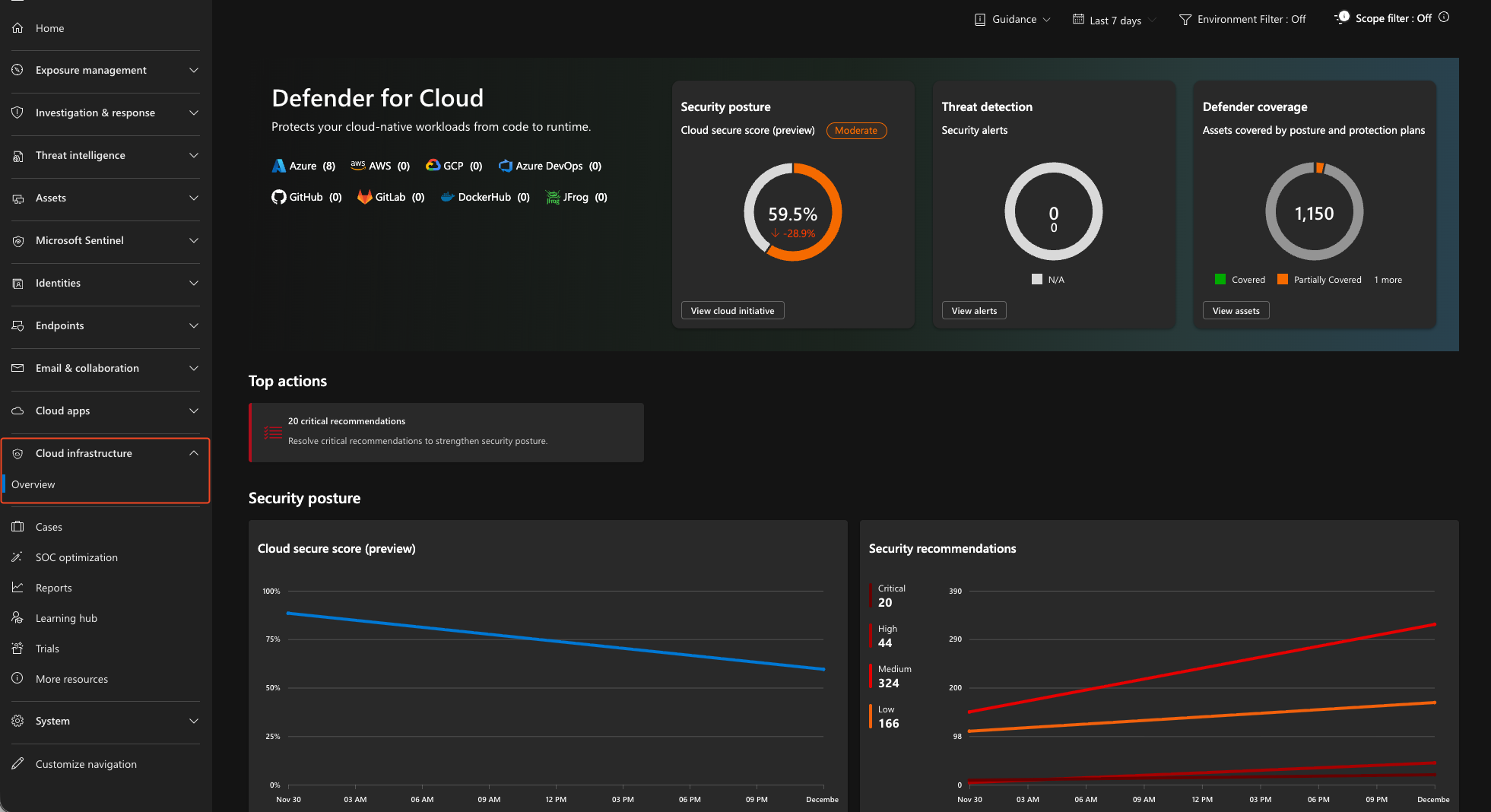
The big thing is that you can now see your Cloud Infrastructure in the Defender portal. No need to jump to Defender for Cloud every time you want to check your cloud assets. A new menu toggle has appeared in Defender portal and it looks like this:
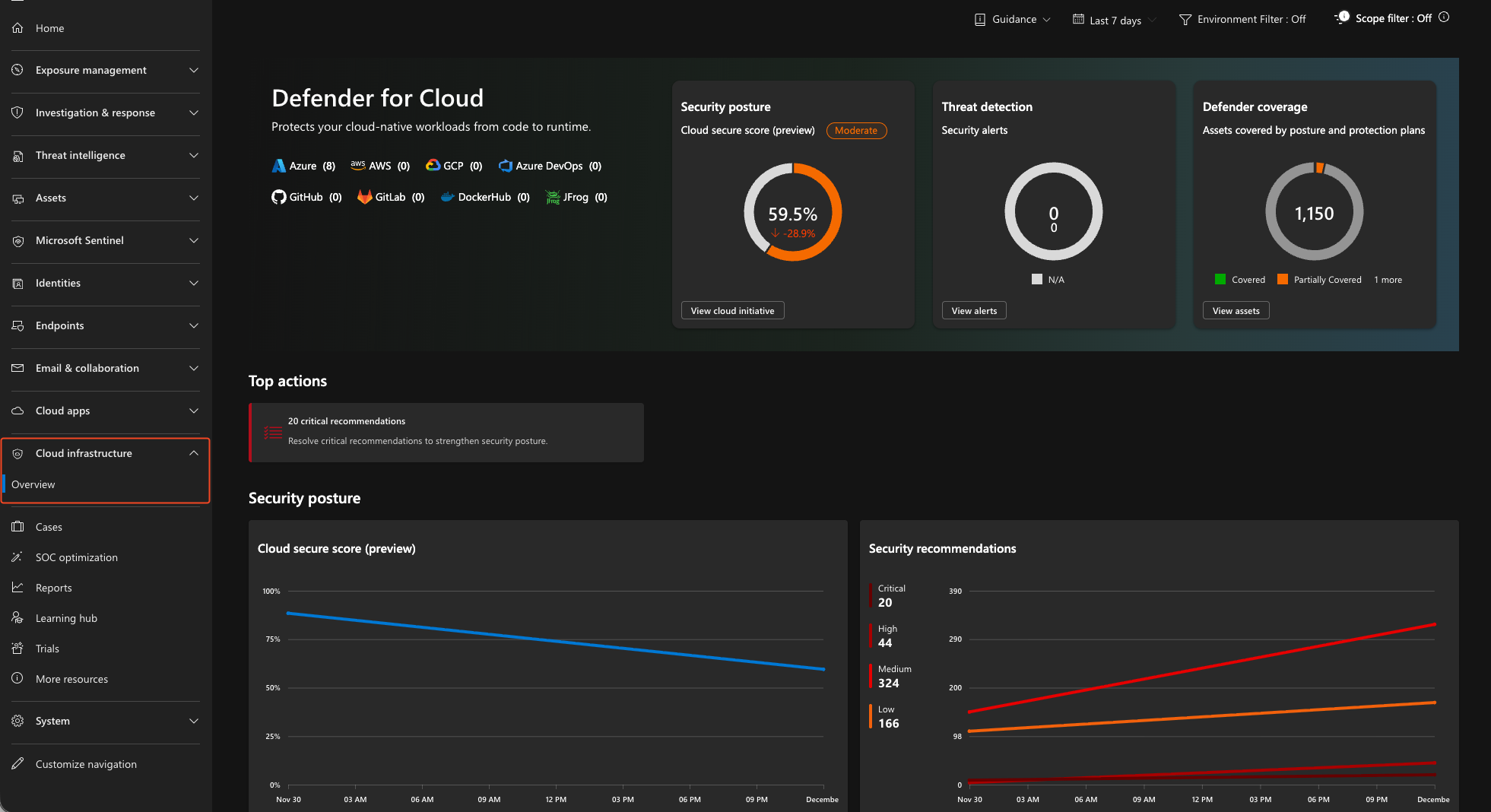
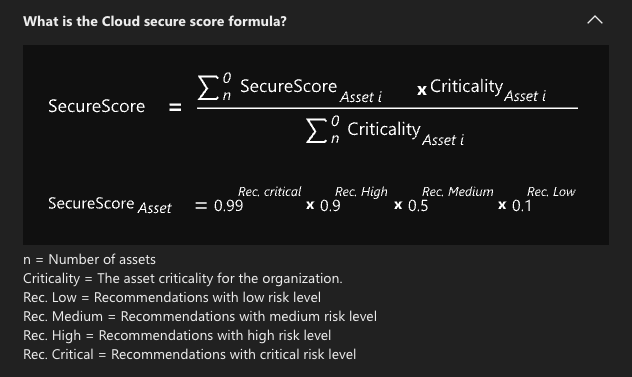
What you get is a new dashboard of your cloud resources with improved Secure Score calculation that now also takes asset criticality in to consideration. This improved risk based calculation brings a lot of benefits into fixing recommendations. We all know that not all resources are equal and I think that this itself is a great improvement to Secure Score making it a usable metric again for measuring the overall security of your environment. The old calculation (still in use in Defender for Cloud) just compared healthy vs. unhealthy resources to the total number of them.
There is also the new view in Assets menu. You can now browse Cloud infrastructure from the Defender portal as well. Gaining a unified view to all of your assets improves security operations since portal hopping becomes less needed.
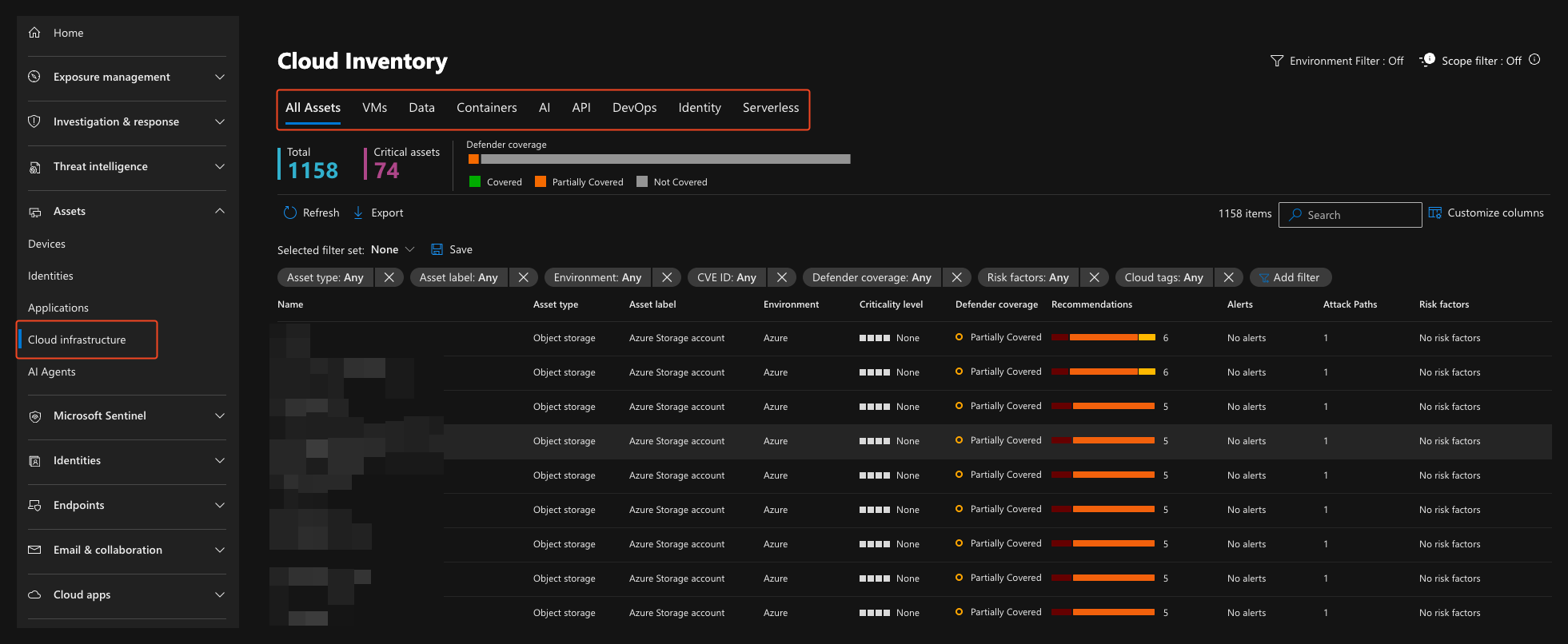 The asset inventory list is a comprehensive list of your Cloud assets and gives a single pane of view into them. It´s also good to point out that the different categories also gives information about the resources themselves like is some resources running or not.
This was a short post compared to many ive written but I think that not all of my posts need to be deep dives into solutions. I also try to write more Defender related posts in the future since Microsoft is clearly putting a lot of resources and effort into improving the experience.
Limitations
It is important to note that Defender portal views display nothing if you have only Foundational CSPM enabled. You need to pay a bit to get the greatest toys but in my opinion, Defender CSPM is always a good investment and the price is often quite low compared to the resource spend in the subscriptions.
Checkout my other posts here: Blogs
Leave a Reply